Working companion assemblies
Implementation snapshot · 2026-10-12 · Sources & update notes
After tagging geometry, open Vehicle setup / MVP → Working CAD assembly →
Create working assembly… and choose a writable parent folder for the new CAD revision.
The tool creates a new dated folder, a native .SLDASM, and one native .SLDPRT
per assigned group, then opens a Components window for that assembly. Your source
CAD files and original project remain separate. Use the new assembly’s 3D sketch
or reference points for mounting work, or edit its copied parts to add references.
This is an independent snapshot, not a live linked assembly. Only selected
solid/surface bodies are imported; source sketches, mates and feature history are
not copied. Each body is transformed into its original assembly position and each
new part is fixed there. Physical and appearance selections (including individual
coilover pieces) are rebound to persistent references in the new files. Group
IDs, names, roles, surface mass options, spring settings, and frame hull settings
are retained. Empty/incomplete groups stay empty/incomplete. Native physical
materials, effective face colours and native render appearances carry over,
including appearances applied to components in the source assembly. The copier
reconstructs the exposed finish and mapping properties and copies available
appearance/texture files into an appearances folder beside the new parts. Keep
that folder with the CAD. If an original custom .p2m is missing, its saved values
are reconstructed on a standard colour appearance; missing assets are listed in
the copy’s working-assembly.json (under parts/ in an update revision). Decals
and shader details not exposed by the API are not
recreated. Check texture placement on transformed parts. This native CAD transfer
is separate from BeamNG’s approximate PBR conversion; it does not bake textures
for BeamNG.
Preserve colours and moving members
Section titled “Preserve colours and moving members”When splitting or reassigning moving pieces, face and feature paint take precedence over the body’s physical-material finish. Each generated part commits its imported geometry before restoring the individual face finishes. The native regression uses six differently coloured bodies, including four in one spring member, and checks all 36 faces plus the physical materials after a fresh reopen. To restore lost colours without redoing companion work, save the companion and its parts, select the coilover group, and open its moving-pieces dialog. Click Refresh colours from original CAD. The working-assembly controls also expose Refresh selected appearances from source for other groups. The refresh follows saved copy provenance back to the original CAD and repaints the existing faces. Folders, component identities, mates, moving-piece assignments and the physical build receipt are retained. No geometry replacement or new split is required. Use Package saved appearances afterward to update the mod’s visual meshes.
Moving-piece actions show progress and failures inside their own dialog. If a split asks you to save companion CAD, close the dialog, save the assembly and modified parts, then reopen it and retry. Saved classifications remain available.
The original source must still be available, with matching geometry and placement.
A missing source, ambiguous copy history or changed geometry stops the refresh
before painting; use the separate geometry-update workflow for geometry changes.
The tool backs up only the affected part files under appearance-backups beside
that companion. Live paint assets are stored beside the parts, separately from
those backups. Existing grey copies from before the reader fix can therefore
recover their individual spring colours from the intact original CAD.
The native refresh regression checks six colours across 36 faces, three components
inside a user-created folder, an actual SolidWorks mate, retained face references,
mechanical materials and the physical receipt. A separate fresh-process reopen
checks that the saved colours, folder membership and mate identities persist.
The native appearance_missing regression additionally removes an owned
fixture’s external paint file and verifies that reconstruction preserves its
captured RGB through a fresh save/reopen. Run it only in a new owned fixture
directory using tools/Test-NativeJoints.ps1.
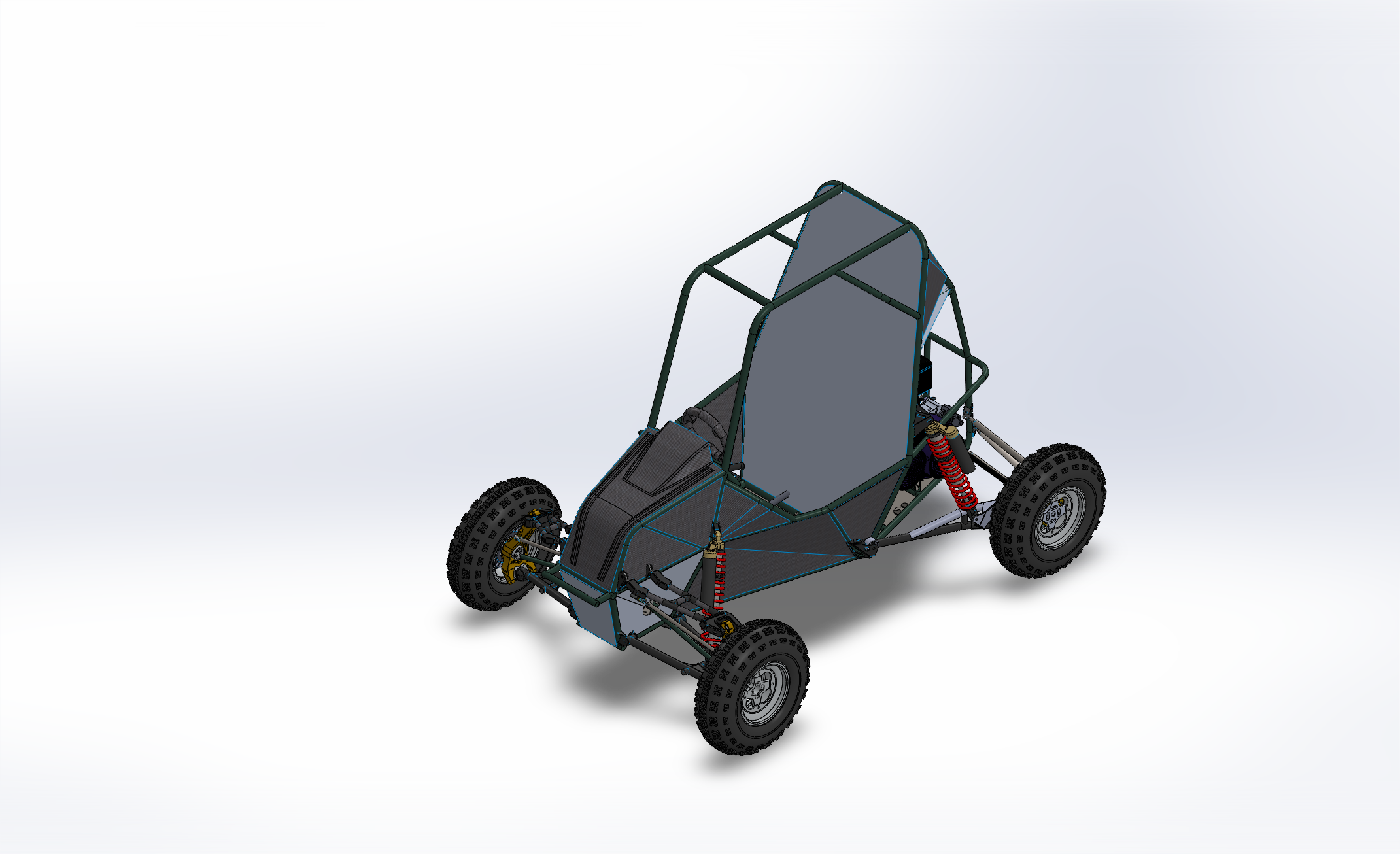
The v38 native check refreshed the actual 67-group assembly, then reopened it and resolved all 976 assigned bodies. It verified the seven Engine Mount bodies can be highlighted, sampled every body’s colour/texture in the frame, nose, left seat panel and engine-mount groups, and checked source/previous-revision file hashes. Separate native fixtures cover colour overrides, texture bytes and mapping size, lightweight selections, update/reopen persistence and cancellation. These are CAD transfer checks; they do not qualify vehicle physics.
Save identity and repair references
Section titled “Save identity and repair references”The copy gets a new project/mod identity. Old geometry exports and build receipts are cleared because their hashes/references belong to the original CAD. Re-export and recalibrate before generating new physics. A template definition, when present, is copied for review. Existing mount names, IDs, coordinates and connections are retained, but native point references are marked needs_repair: select matching geometry in the copied assembly and use Repair selected point. No previous qualification is implied by making the snapshot.
Save the new assembly/parts normally; its adjacent .beamng-project.json and
.truemesh-prep.json preserve the associations and frame definition across restarts.
working-assembly.json records the source project, copied body mapping and notes.
The Components window shows group count | Project: full path above its tabs.
The source assembly and working assembly each remember their selected project,
including projects saved outside the CAD folder. Opening one does not change
which project opens for the other. To choose another saved set of assignments,
use Vehicle setup / MVP → Project → Open saved project in the appropriate
assembly. This switches projects without merging or overwriting their contents.
If the remembered file is missing or belongs to another document, Components
asks you to locate it instead of silently opening an older adjacent project.
Choices are stored per Windows user in
%LOCALAPPDATA%\beamng.cad\settings.xml.projects.xml; the assignments themselves
remain in the chosen .beamng-project.json files. Keep those files with the CAD
when transferring work to another workstation, then use Open saved project.
Keep the entire folder together. The initial snapshot action
requires assignments in the active source document/configuration and refuses to
overwrite an existing working folder. Cancellation/failure leaves an explicitly
incomplete receipt for diagnosis and returns to the source assembly.
Updating the companion after tagging changes
Section titled “Updating the companion after tagging changes”Use Vehicle setup / MVP → Working CAD assembly → Update companion assembly
from either the source project or its companion. It activates the linked source
automatically, even if another CAD document is currently active. Open companion
only opens the saved revision; if a new group has not been copied yet, its name
and the pending update are shown in the opening message. Leave Refresh assigned
geometry too unchecked when adding a group: unchanged parts are reused.
Scroll down in the upper setup
pane to find Working CAD assembly. The status shows saved source
groups added, removed or changed since the last synchronization. Edits mark the
companion as pending; the button performs the CAD update. Open companion opens
the latest successful revision. The link persists across restarts beside each
project in .companion.json. For an older copy without a link, Update prompts for
its working-assembly.json once.
When viewing an older revision, use Open companion to return to the current
one before editing or updating; older-revision edits remain separate.
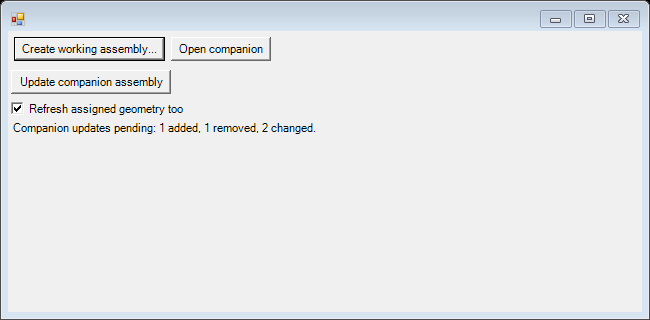
An update applies source group names, roles, settings, list order, CAD selections, appearance selections and coilover-piece assignments. Settings unchanged in the source retain their companion-side values. Companion-only groups and reference work on unchanged parts are retained. Removed source groups leave the new revision, along with their mounting points/connections; their old CAD files remain available. Reassigned groups receive new parts, and affected mounting references are marked needs_repair. First synchronization of a legacy receipt establishes its baseline and applies source settings; unknown local groups are retained. Group renames update the assignment list and the native component reference label. Native instance names and part filenames stay stable to preserve body identities when the assembly is reopened.
Check Refresh assigned geometry too when body selections are the same but CAD shape, placement, material or appearance has changed. This explicitly recopies source-owned groups and requires mounting-reference repair on those replaced parts. Assignment tracking by itself does not monitor every edit inside SolidWorks bodies. Use this refresh once for older working copies that only contain flat colours.
Keep reviewed donor replacements
Section titled “Keep reviewed donor replacements”Reviewed donor replacements are owned by the companion. Their receipt records
SourceOverride and the reviewed source document/configuration for each group or
moving member. Both normal updates and Refresh assigned geometry too retain
their geometry, member split, local settings and existing mates. Removing or
reassigning the old source group does not revert a reviewed replacement. Edit
these replacements in the companion; updating their donor geometry requires
another deliberate reviewed replacement, not an ordinary source refresh.
The companion status reports how many groups follow this policy.
For the merged rear suspension, Refresh selected appearances from source uses
the saved rear review, not the original vehicle assembly or the unsaved donor.
Per-part .appearance-provenance.json files retain exact body mappings and native
part coordinates, so moving an instance does not change the colour correspondence.
Keep the review assembly and its dependencies while using this appearance source.
A missing source or changed face geometry fails the check before applying paint.
Version 4 receipts require the updated add-in; older versions refuse them instead
of silently overwriting replacement ownership. The metadata-only reconciliation
tool is tools/reconcile-companion-provenance.py; its staging directory retains
the previous receipt and the exact files applied. No CAD files or mates are edited.
Newly tagged groups also need Update companion assembly before they appear in the companion. Zoom to assignment now loads the owners of saved bodies in nested/lightweight components before resolving those bodies; a valid assignment does not need to be recreated merely because its component was unloaded.
Revisions, cancellation and reuse
Section titled “Revisions, cancellation and reuse”Save edited companion CAD before updating; the tool refuses to discard unsaved
reference work. It creates a new r... revision under the companion folder, reuses
unchanged part files, and opens that revision when complete. The previous assembly,
project, changed-part files and receipt are retained. Unchanged parts are shared
across revisions, so this is not a full immutable archive of every part. Keep the
whole folder together. The latest-revision link advances only after saved scopes
resolve successfully. Cancellation or failure leaves the previous revision selected.
A no-op update creates no new revision. The companion keeps its mod identity, but
updated revisions clear build receipts and require fresh calibration/qualification.
Physical ownership after the copy
Section titled “Physical ownership after the copy”Each component owns its nodes and render bindings. A mounting point has distinct parent and child nodes; short beams form the fastener. Multiple independent fasteners can hold one panel. Breaking one group releases that fastener, and breaking every fastener allows the panel to leave as an intact group.
For template vehicles, planned mounts (local source: beamng.cad/FramePipeline/planned_mounts.py)
insert parent locators before frame calibration. Nearby frame supports are chosen
for directional conditioning, not distance alone. The smallest eigenvalue of the
support-direction matrix rejects nearly parallel, poorly constrained patches.
Moving one of these mount points invalidates that frame calibration.
CAD reference plus an offset defines editable mounting points. Deleted or ambiguous CAD references require repair; they are not silently snapped to a different body. Forced mount-release tests check break groups and ownership. They do not prove real weld strength, fatigue, or ductile rupture.